Gigabite Hosting
Forums
Store
News
About Us
Start Now
Login
Register
The New Admin Dashboard: Faster, Cleaner, Smarter
By admin • November 06, 2025
We’ve refreshed the admin experience to help you move quicker and stay organized. Here’s a simple look at what’s new. 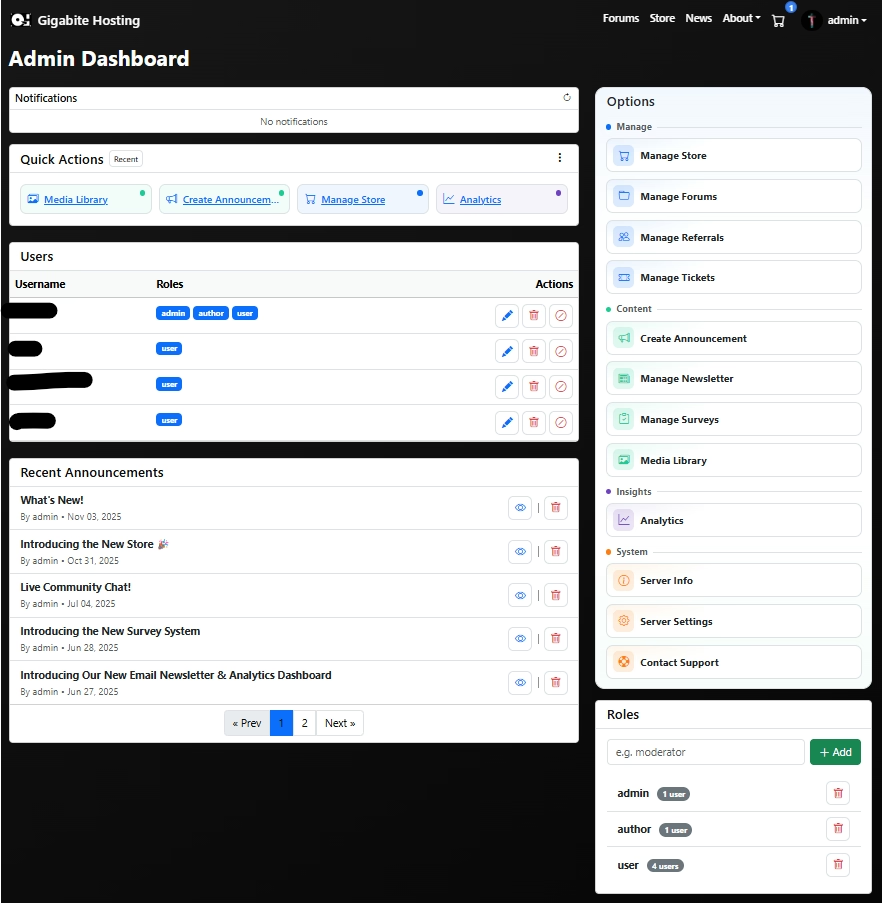 ## What’s New * **Streamlined Notifications** Compact cards you can scan at a glance. Dismiss with a click, open when you need more. * **Smarter Quick Actions** A four-button grid that adapts to you—showing your most recent or most used tools. Switch modes from the ⋮ menu. * **Organized Options Panel** A tidy, color-coded sidebar with clear sections—**Manage**, **Content**, **Insights**, and **System**—so you can find the right tool instantly. * **Users & Roles, Simplified** Cleaner user rows with just what matters: username, roles, and clear action icons (edit, ban, delete). Roles now live in one place—create, view usage, and remove in a single card. * **Analytics You Can Read** A calmer, dark interface with neat, boxed charts and a grid layout. Key stats up top, helpful lists (top pages, announcements, events) below. You can reveal more detail when you want it—no clutter by default. ## Why You’ll Love It * **Faster to scan** – Less noise, clearer sections, smarter defaults. * **Fewer clicks** – Quick Actions and compact tables keep you in flow. * **Easier to trust** – Analytics highlight real activity with cleaner presentation. 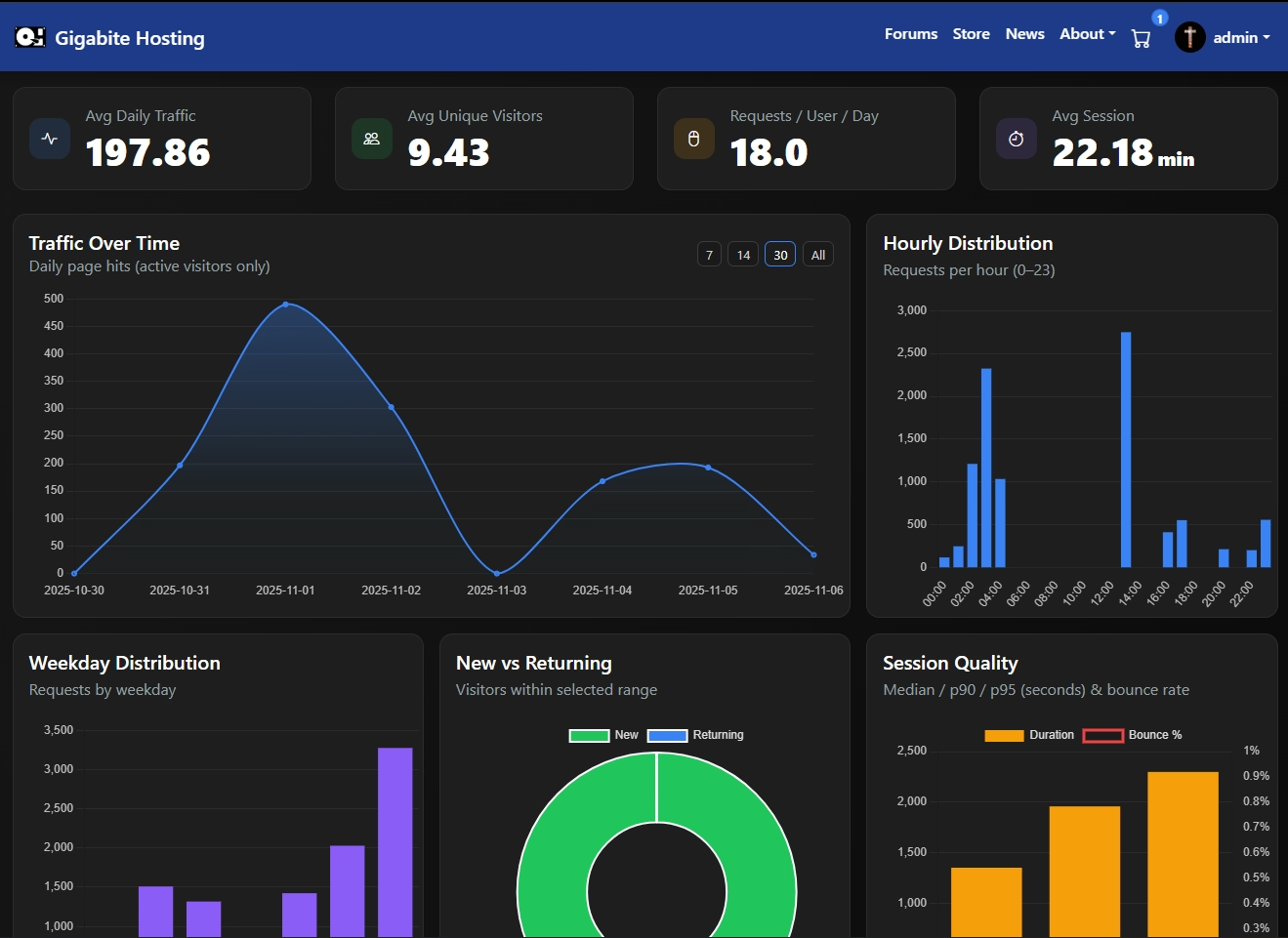 ## Try It Out Head to your **Admin Dashboard** and take a spin: * Clear a notification, * Use a Quick Action, * Check today’s traffic in Analytics, If you have feedback or ideas, we’re all ears. This update is about making your everyday work feel effortless—and we’re just getting started.
Select Media
This website uses cookies to ensure you get the best experience.
Got it